

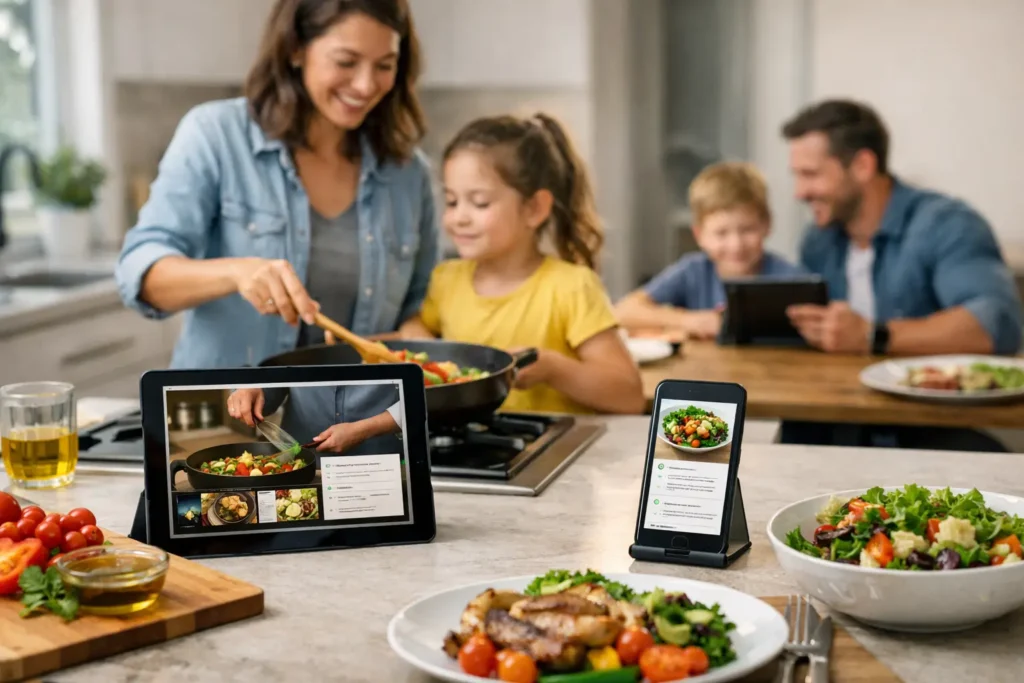
The peas are still on the plate. Your child has declared the chicken “too bumpy.” You are trying not to turn one more dinner into a debate. This is where screen assisted meal tools can offer something genuinely helpful: not another lecture, not a bribe, but a small, playful reason to take the next bite.
For families dealing with picky eating, the right screen at the table can shift the mood from “you have to eat” to “let’s see what happens next.” That difference matters. A tool that celebrates trying, reveals a picture one bite at a time, or tracks tiny wins can give children a sense of control while giving parents a break from negotiating.
What are screen assisted meal tools?
Screen assisted meal tools are kid-friendly apps or digital activities used during meals to encourage participation. Instead of playing a random video in the background, these tools connect the screen to the meal itself. A child takes a bite, makes progress, earns a badge, or reveals part of a surprise image.
The goal is not to distract a child until the plate is empty. It is to make trying food feel approachable and rewarding. That is especially useful for children ages 2 to 8, when new textures, smells, and colors can feel much bigger than they look to an adult.
A good tool keeps the focus on the child’s action. The bite comes first. The cheerful animation, image reveal, or celebration follows. That simple order helps make mealtime feel less like a test and more like a game they can win.
Why a playful screen can lower mealtime pressure
Parents are often told to avoid screens at meals altogether. That advice can make sense when a screen turns eating into mindless background behavior. But not every use is the same.
A purpose-built tool is different from putting on a show so your child will eat without noticing. It can create a clear, calm routine: take a comfortable bite, tap the screen, see what you revealed. Your child knows what to expect, and you no longer have to repeat “just one more bite” ten times.
For a child who is anxious around unfamiliar foods, a tiny goal can feel safer than a full plate. One lick of a carrot. One small taste of rice. One bite of a food they usually avoid. Those moments may look small, but they are how confidence grows.
The best part is what this changes for parents. You get to step out of the role of food police. Rather than persuading, pleading, or threatening dessert, you can calmly say, “Want to reveal the next piece?” The app carries some of the motivational load, leaving more room for connection at the table.
How to choose screen assisted meal tools that help
Not every mealtime app supports the experience you want. Before introducing one, look at what it asks your child to do and how it makes them feel.
Choose tools that reward trying, not finishing
A child does not need to clean their plate to make progress. In fact, making “finish everything” the goal can create more stress, especially when portions are too large or a food is brand new.
Look for bite-based encouragement that lets you set a manageable goal. A few bites of a familiar food may be enough on a tough day. On another day, your child may be ready to try something new. The tool should make room for both.
Keep the experience simple
Dinner is not the time for complicated rules, noisy ads, or a game that pulls your child into five unrelated tasks. The best tools are quick to understand and easy to use between bites.
A visual reveal works well because children can instantly see their progress. They do not need to read instructions or wait through long levels. They take a bite, tap once, and get a happy little payoff.
Avoid tools that turn food into a bargain
There is a difference between positive reinforcement and a deal that puts more pressure on the table. “Eat three bites and you can have candy” can teach children that dinner is the unpleasant obstacle before the real reward.
A playful in-meal celebration keeps the reward connected to the act of trying. It says, “You did something brave,” rather than, “You earned your way out of this meal.” That is a kinder message for children who are already wary of food.
A calmer way to introduce a mealtime app
The first few meals set the tone. Present the tool as a fun family experiment, not a new rule your child must obey. You might say, “We have a surprise picture to uncover tonight. Each time you take a bite you feel okay about, you can reveal a piece.”
Start with a food your child usually accepts alongside one food that feels less familiar. This keeps the meal from becoming an all-or-nothing challenge. If they only take bites of the familiar food at first, that is still participation. The routine is becoming safe and predictable.
Keep your language light. Try “Would you like to make progress?” instead of “You need to eat.” If your child says no, do not turn the app into another argument. Let them know it will be there next time. A low-pressure approach is what makes the tool useful.
Easy Eaters is designed around this exact kind of moment: children reveal colorful surprises bite by bite, earn encouraging badges, and experience dinner as a game rather than a showdown. For many families, that small reset is enough to change the energy at the table.
Set boundaries so the screen supports the meal
Helpful does not have to mean unlimited. Screen assisted meal tools work best when the device has one clear job and a clear ending.
Use the screen only for the bite activity, rather than leaving it running throughout dinner. Keep the device where it is easy to reach but not so close that it blocks conversation. When the chosen goal is complete, celebrate, put it away, and continue the meal or move on with the evening.
It also helps to decide ahead of time what success looks like. Success may be sitting with the family for a few minutes. It may be touching a new food, smelling it, or taking one small bite. Your child’s appetite will naturally vary from day to day, and no app should override hunger or fullness cues.
If your child becomes upset when the activity ends, shorten the goal next time or make the ending more predictable. “Two more reveals, then we say goodnight to the game” is often easier than an abrupt stop.
When a screen tool may not be the right fit
A playful app is not magic, and it is okay if it does not click immediately. Some children may find screens overstimulating, especially at the end of a busy day. Others may become so focused on the reward that the food itself fades into the background.
If that happens, pause and simplify. Use fewer reveals, lower the volume, or save the tool for a particularly difficult meal rather than every meal. You can also pair it with non-screen encouragement, such as letting your child choose between two cups or helping place berries on the table.
If eating challenges include frequent gagging, pain, trouble chewing or swallowing, a very limited range of foods, or poor growth, a pediatrician or feeding specialist can help. A mealtime tool can make practice feel friendlier, but it is not a substitute for personalized medical support when there may be a deeper concern.
Let progress be small and real
The goal is not a perfect eater by Friday. The goal is a child who feels a little safer taking the next bite and a parent who feels a little less alone at dinner.
Some nights, the win will be three bites and a big smile at a newly revealed picture. Other nights, it will simply be no tears, no bargaining, and everyone leaving the table feeling okay. Those are not minor victories. They are the kind that make tomorrow’s meal feel possible.